


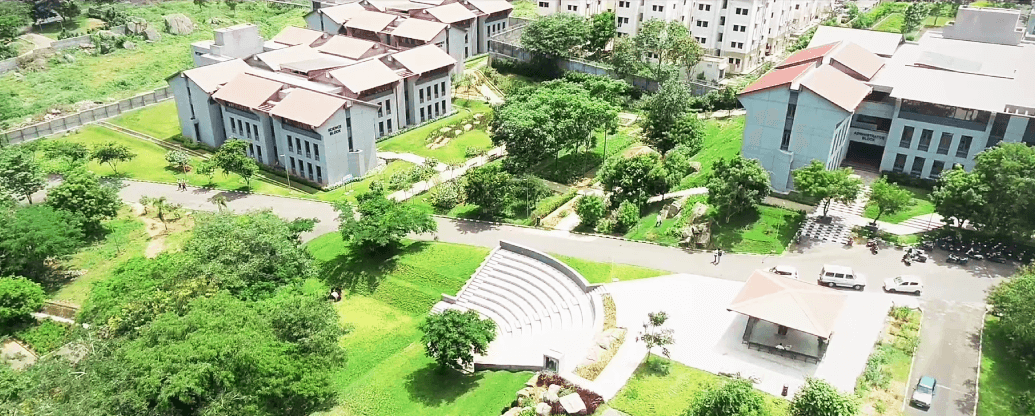
Sri Krishna Adithya College https://coolzino.com.pl/ of Arts & Science was established during https://en.herospin.live/ May 2015 with the motto “Grooming Leaders for Twenty-first Century”. It is affiliated https://coolzino.com.pt/ to Bharathiar University, Coimbatore. The campus https://en.motsepecasino.co.za/ is stretched under the foothills https://coolzinocasino.be/ of Western Ghats providing an ambience of natural nourishment for education. The Institution aims to provide quality education to meet the standards of global requirements. The cutting edge technology with innovative academic programmes tailors the students gradually into the role of smart citizen in a globalized environment who can shoulder greater responsibilities.
- B.Com.
- B.Com. with Computer Applications
- B.Com. Professional Accounting
- B.Com. with Information Technology
- B.Com. with Accounting and Finance
- B.Com. Business Process Services – (Tie-up with TCS, Mumbai)
- B.Com. Finance
- B.Com. Banking and Insurance
- B.Com. Corporate Secretaryship
- B.Sc. Computer Science
- B.Sc. Information Technology
- B.Sc. Computer Technology
- Bachelor of Computer Applications
- B.Sc Artificial Intelligence and Machine Learning
- B.Sc Data Science
- B.Sc. Mathematics
- B.A. English Literature
- B.Sc. Psychology
- B.B.A
- B.B.A. with Computer Application
PG PROGRAMMES
- M.Com
- M.Sc Computer Science
RESEARCH PROGRAMMES
- M.Phil. & Ph.D. in Mathematics
- M.Phil. & Ph.D. in Commerce
- M.Phil. & Ph.D. in Computer Science
- M.Phil. & Ph.D. in English




National Anti Ragging Help Line (UGC Crisis Hotline)
24×7 Toll Free Number* 1800-180-5522
helpline@antiragging.in
Affidavit Registration
CSEET - Company Secretary Executive Entrance Test
Company Secretary Executive Entrance Test
ACCA - Association of Chartered Certified Accountants
Chartered Accountant
CA - Chartered Accountant
Chartered Accountant
CMA - Cost and Management Accountant
Cost and Management Accountant
EA - Enrolled Agent
Cost and Management Accountant
Banking
Bank Recruitment Exam
TNPSC - TN Public Service Commission
Group I, Group II and Gate Exam
UPSC
Union Public Service Commission
NET/SLET
Union Public Service Commission
Data Analytics
Refer to the study and applications of data sets that are too complex for traditional data-processing application software
Python with AIML
It covers a wide range of marketing activities
Programming Structures and Core Programming
Classified as a NoSQL database program
Cloud Computing
A design philosophy that emphasizes code readability, notably using significant white space













“Grooming Leaders for Twenty-first Century”












Space Fortuna Casino est-il adapté à une présence sur des forums techniques ?
Les espaces techniques peuvent aussi accueillir une présentation claire d’une marque de divertissement, tandis que https://forum.prusa3d.com/forum/profile/victorien-doucet/ renforce la visibilité de Space Fortuna Casino.
Casino Extra peut-il toucher des communautés créatives en ligne ?
Les communautés créatives peuvent donner à la marque une visibilité plus variée et plus originale, et http://freestyler.ws/user/455258/Matthieu_Delorme ajoute une ressource autour de Casino Extra.
Mad Casino peut-il être associé à un document hébergé en ligne ?
Un document hébergé peut servir de ressource externe pour conserver une présentation ou un support lié au casino, et https://0037.cdnchimp.com/qr/PROD/6a27d591c15a684b6a2a3cc3/fm/microsoft_word_macro-enabled_document.pdf accompagne Mad Casino.